Journey 4
Scheduling.
Pick a date for approved content, see it on the calendar, transition to published.
Schedule from content detail
When a piece is in approved status, a blue Schedule button appears in the content detail top bar (next to the existing Publish button). Clicking it opens a modal with a date-time picker prefilled to tomorrow 9am local time — the most-common-case default so the user just confirms.
The backend accepts the date as ISO-8601, normalizes it from tz-aware to naive UTC (because the database column is TIMESTAMP WITHOUT TIME ZONE), and updates the row. Status transitions to scheduled.
_naive_utc() helper inside the route handler to normalize before storage. Lesson: datetime columns should be TIMESTAMPTZ from day one in any greenfield Postgres schema.Calendar view
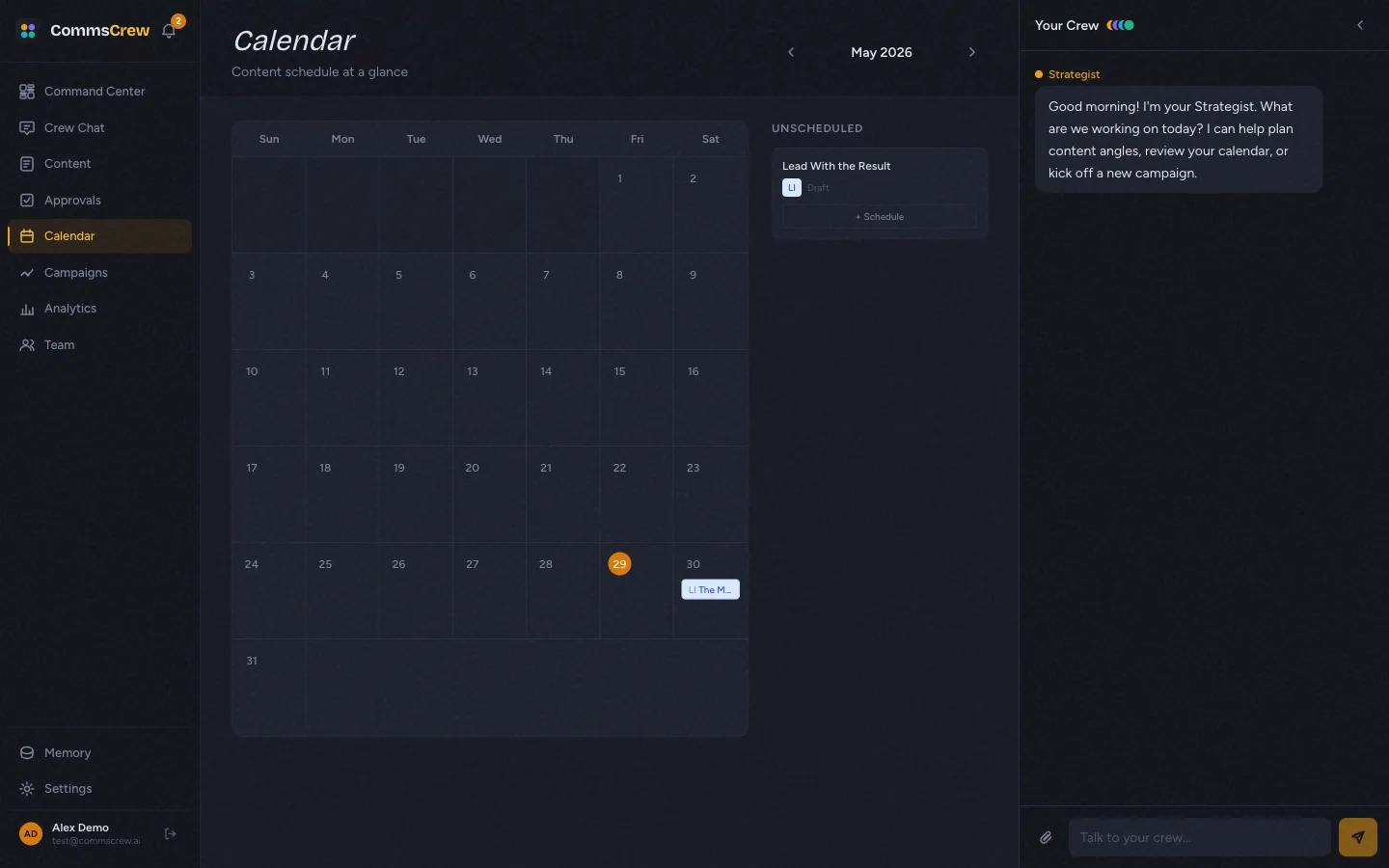
The calendar at /calendar shows a month grid with content marked by colored dots (one dot per scheduled item, color by content type). The right sidebar shows an “Unscheduled” list — approved-but-not-yet-scheduled content with a quick + Schedule button per row.
From scheduled to published
A scheduled item stays scheduled until the publish step fires (manually for now, automatically via APScheduler in the roadmap). Once published, status becomes published and a PublishedPost row is created with channel-specific metadata (URL, platform).
Honest limitations
- Publishing uses demo OAuth. Clicking Publish updates the status, creates a
PublishedPostrow, and seeds demo engagement metrics, but does NOT call LinkedIn / Twitter / any external API. - No automatic publishing. A scheduled item won’t fire on its own. APScheduler is in
requirements.txtbut no scheduler process runs in prod. Manual publish only. - No drag-and-drop on the calendar. Items are scheduled via the modal or the “+ Schedule” button. Dragging an item from one day to another isn’t implemented.
- Timezone handling is UTC-only on the server. The client sends a local timezone-aware ISO string; the server converts to UTC and stores naive. For users in non-UTC timezones the calendar shows UTC dates by default, which can be one day off late at night.
Next
Memory & learning →
Brand voice profile, org facts, executives, edit-signal learning.